
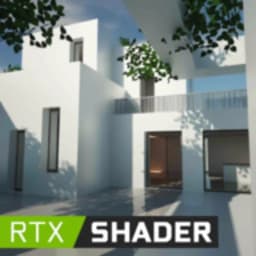
Screenshots
About RTX Shader
RTX Shader transforms Minecraft Pocket Edition with stunning visual enhancements, bringing vibrant textures and realistic graphics to your survival worlds. If you're tired of the standard pixelated look, this shader mod adds a fresh layer of beauty and immersion to every gaming session.
Enhanced visuals make exploration more rewarding. RTX Shader incorporates Pure Vanilla RTX mods that unlock new gaming features through Behavior and Texture Packs. As you traverse diverse maps, hunt for diamond ores, or encounter mystical creatures, you'll notice vivid colors, improved detail, and a more realistic game world. The shader enhancements work across all environments—from peaceful builds to intense survival scenarios—giving your Minecraft experience a dramatic visual upgrade.
Installation takes just a few clicks. The straightforward setup process lets you apply textures to your worlds without technical hassle. A simple GUI makes it easy to enable the shader and start playing immediately. Once activated, you can share the enhanced experience with friends in multiplayer sessions, exploring and surviving together with improved clarity and visual fidelity.
Compatibility spans your entire Minecraft universe. RTX Shader works seamlessly with Minecraft Pocket Edition and enhances the appearance of mobs, animals, villagers, and structures across all your saved worlds. Whether you're playing survival mode solo or engaging in PVP multiplayer encounters, the improved graphics make every visual element more engaging and detailed. The shader effects work consistently across different play styles and map types.
Download RTX Shader today and rediscover Minecraft through a lens of vibrant color and realistic detail. Requires Android 5.1 or higher.
Pros & Cons
Pros
- Dramatically improves Minecraft PE visuals with realistic textures and vibrant colors
- Simple installation process with straightforward GUI setup
- Works across all Minecraft PE worlds, survival modes, and multiplayer sessions
- Compatible with Behavior and Texture Packs for expanded customization
Cons
- Shader mods may significantly increase device RAM and storage usage
- Performance impact on older or mid-range Android devices likely
- Modifying game files carries risk of world corruption or save loss
- Potential compatibility issues with future Minecraft PE updates
Related Apps

AlienGUIse
Desktop themes and manager for Windows — transform your system with 5 futuristic designs.

SharpKeys
Remap keyboard keys to launch apps, media controls, and custom commands on Windows.

RocketDock
Desktop launcher for Windows — quick access dock with customizable icons and positioning.

Custom Resolution Utility (CRU)
Display resolution utility: Create custom resolutions for your monitor with precise refresh rate control.

Lagguy Wallpapers
Lagguy
4K & HD wallpapers for Android — minimal, abstract, nature, AMOLED designs with lifetime access

Lock Screen OS
Apps Genz
Customize your lock screen with widgets, photos, and notifications. Replace Android's default lock screen.
Latest Articles

7 best apps for birthday reminders on Android in 2026
Jul 12, 2026

Best apps for D&D character sheets on Android in 2026 (7 tested)
Jul 12, 2026

Best apps for gaming on integrated graphics for desktop in 2026 (we tested 7)
Jul 12, 2026

Best apps for live sports streaming on desktop in 2026
Jul 12, 2026

Best apps for movie tracking on Android in 2026 (free and paid)
Jul 12, 2026